
Showing posts with label ergonomics. Show all posts

Sunday, October 18, 2026

Everyday Standing Habits to Improve Your Posture Naturally

Silhouette of a solitary figure in an expansive night-time parking lot.

Good posture while standing is more than a visual cue; it supports breathing, circulation, and overall comfort. Small, consistent habits can make a big difference without requiring special equipment or a gym routine. Below are practical steps you can add to your daily life.

Align Your Feet and Weight Distribution

Start by placing your feet shoulder‑width apart. This stance gives a stable base and reduces strain on the hips and lower back. Keep your weight evenly balanced on both feet. Avoid leaning heavily on one leg, which can cause pelvic tilt and muscle imbalance.

If you stand for long periods, shift your weight gently from one foot to the other every few minutes. This micro‑movement encourages blood flow and prevents stiffness. A simple cue—like a gentle tap of the opposite foot—can remind you to switch sides.

Engage Your Core and Keep the Spine Neutral

Imagine a gentle pull from your belly button toward your spine. This light core engagement supports the lumbar region without forcing a rigid “abs‑tight” posture. Keep the natural curve of your lower back; do not flatten or over‑arch it.

To check alignment, stand next to a mirror or ask a friend to observe. Your ears, shoulders, hips, and ankles should form a straight line when viewed from the side. Small adjustments—like tucking the chin slightly or rolling the shoulders back—help maintain this line.

Mind Your Shoulder and Arm Position

Relax your shoulders away from your ears. Roll them gently forward and then back, opening the chest. This movement counters the common habit of hunching forward, especially after long hours at a desk.

Let your arms hang naturally at your sides. If you hold objects, keep them close to your body to avoid reaching forward, which pulls the shoulders forward. When using a phone, bring it to eye level instead of bending the neck.

Use the Environment to Support Good Form

Adjust the height of work surfaces so you can stand with elbows at a 90‑degree angle. A countertop or standing desk that is too low forces you to lean forward; too high pushes the shoulders upward.

Place a small footrest or a sturdy box nearby. Alternating one foot on the step can relieve pressure on the lower back and promote a subtle hip stretch. Remember to switch feet regularly to keep both sides balanced.

Incorporate Micro‑Stretch Breaks

Every 30‑45 minutes, pause for a brief stretch. Reach both arms overhead, lengthening the spine. Then, gently bend side‑to‑side, feeling a stretch along the ribs.Follow with a calf raise: lift onto the balls of your feet, hold for a few seconds, and lower slowly. This exercise activates the lower leg muscles and improves balance.

These short breaks reset muscle tension and reinforce the habit of standing tall. Set a gentle timer or use a phone reminder to make the routine automatic.

Practice Breath Awareness

Standing with an open chest allows the diaphragm to move freely. Take a deep inhale through the nose, expanding the belly and ribs. Exhale slowly, feeling the shoulders relax.

Conscious breathing encourages a natural upright posture because the body aligns to accommodate full lung expansion. It also reduces stress, which can otherwise cause tension in the neck and shoulders.

Integrating these habits does not require a drastic lifestyle change. Start with one or two adjustments, then add more as they become comfortable. Over weeks, the body adapts, and standing tall feels effortless.

Consistent attention to foot placement, core engagement, shoulder relaxation, environmental setup, micro‑stretches, and breath can transform how you stand. Better posture supports comfort, confidence, and long‑term musculoskeletal health without the need for costly interventions.

Related reading

AI disclosure: this article was automatically drafted with AI assistance and reviewed before publishing. Written with AI assistance: openai/gpt-oss-120b. It is general information, not professional medical, financial or legal advice.

A Practical Guide to Setting Up Your Desk for Comfort

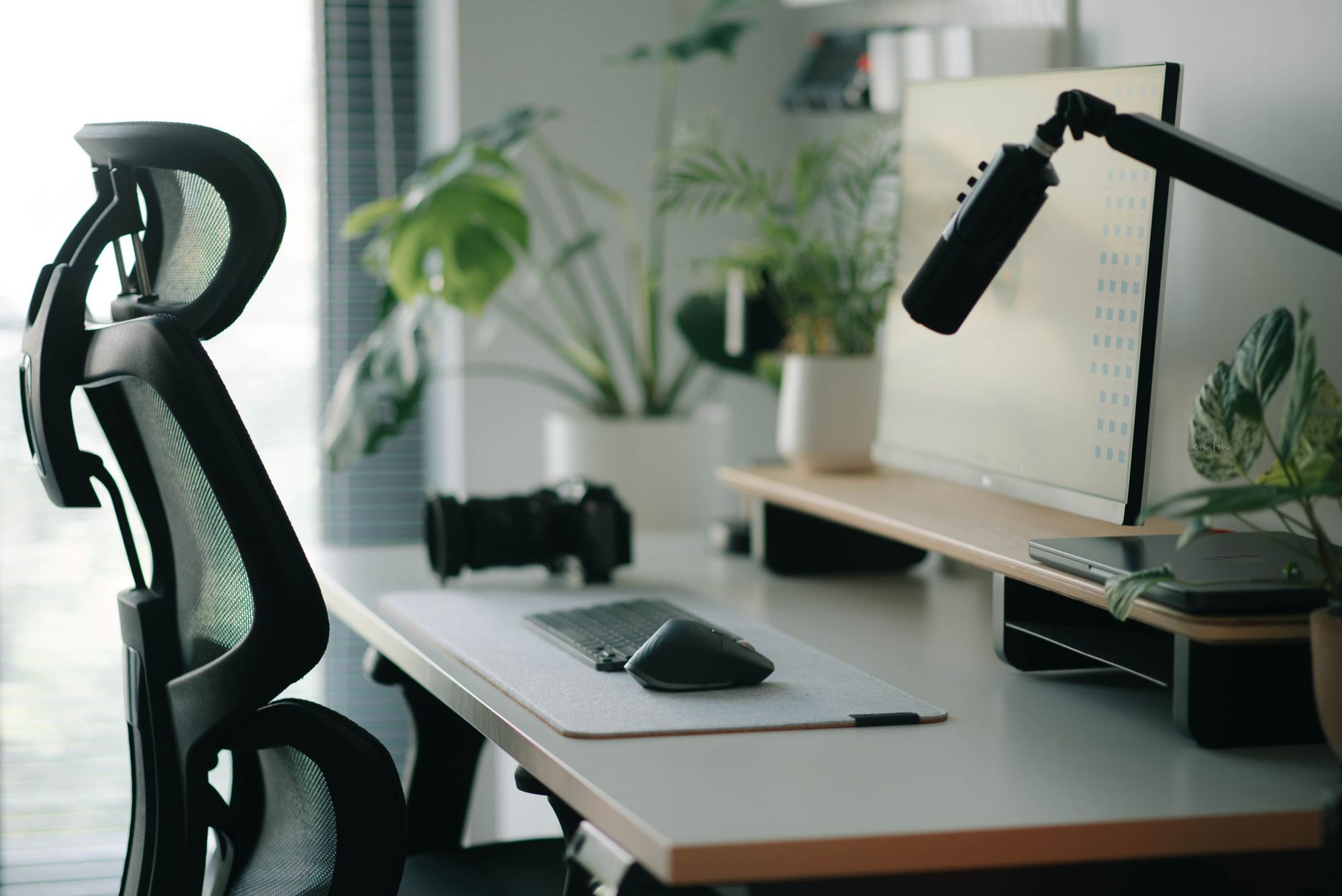
Stylish home office setup with ergonomic chair, plants, and tech accessories creating a modern work environment.

A well-organized workspace supports your body throughout the workday. Many people experience discomfort because their furniture does not fit their physical needs. Adjusting your chair and screen height creates a neutral posture. This position reduces strain on your neck, shoulders, and lower back. You can improve your daily comfort by following a few simple steps.

Adjusting Your Office Chair

Start with your chair to build a solid foundation. Sit all the way back in the seat. Your feet should rest flat on the floor. If your feet dangle, use a footrest to provide support. Your knees should sit at a ninety-degree angle. Ensure there is a small gap between the edge of the seat and the back of your knees. This space prevents pressure on your legs and helps blood circulation.

Next, adjust the lumbar support. This feature should fit the natural curve of your lower back. If your chair lacks adjustable lumbar support, use a small cushion or a rolled towel. This addition helps maintain the spine's natural shape. Set the armrests so your shoulders remain relaxed. Your elbows should rest near your sides at a ninety-degree angle. Avoid shrugging your shoulders while you type or use the mouse.

Positioning Your Screen Correctly

The placement of your monitor affects your head and neck position. Place the screen directly in front of you. You should not have to twist your neck to view the display. The top of the screen should sit at or slightly below eye level. This height encourages you to look straight ahead rather than down. If you use a laptop, consider using a separate keyboard and mouse. This allows you to elevate the laptop screen to the proper height.

Distance also matters for visual comfort. Place the monitor about an arm's length away from your face. You should be able to read the text without leaning forward. If the text appears too small, increase the font size in your settings. Avoid placing the screen near a bright window. Glare on the screen forces you to squint or lean into awkward positions. Use curtains or blinds to manage incoming light. If you use two monitors, place the primary screen directly in front of you. Position the second screen to the side at a slight angle.

Maintaining Good Habits

Equipment adjustments provide the framework for comfort, but movement remains essential. Even with a perfect setup, staying in one position for hours causes stiffness. Change your posture frequently throughout the day. Stand up and stretch every thirty to sixty minutes. These short breaks allow your muscles to recover from static tension. Walk around the room or perform simple neck rolls to release tightness.

Pay attention to your keyboard and mouse placement. Keep these devices close to your body. You should not have to reach forward to type. Keep your wrists in a neutral, straight position while typing. Avoid resting your wrists on hard edges. If you use a wrist rest, use it only during breaks from typing. Constant pressure on the wrists can cause discomfort over time.

Lighting and desk organization also influence your posture. Keep frequently used items within easy reach. This prevents repetitive reaching or twisting. Ensure your desk surface is clear of clutter. A clean space allows you to position your keyboard and mouse optimally. If you use a document holder, place it between your keyboard and monitor. This keeps your head in a neutral position while you read printed materials.

Listen to your body during the workday. If you feel tension in your shoulders, check your armrest height. If your lower back aches, check your lumbar support. Small, incremental changes often lead to significant improvements in comfort. Consistency is the key to maintaining these habits. Over time, these adjustments will feel natural. A thoughtful workspace setup helps you focus on your tasks without the distraction of physical discomfort. Take the time to refine your environment today for a more comfortable tomorrow.

Related reading

AI disclosure: this article was automatically drafted with AI assistance and reviewed before publishing. Written with AI assistance: gemini-3.1-flash-lite. It is general information, not professional medical, financial or legal advice.

Simple Desk Stretches to Relieve Shoulder Stiffness
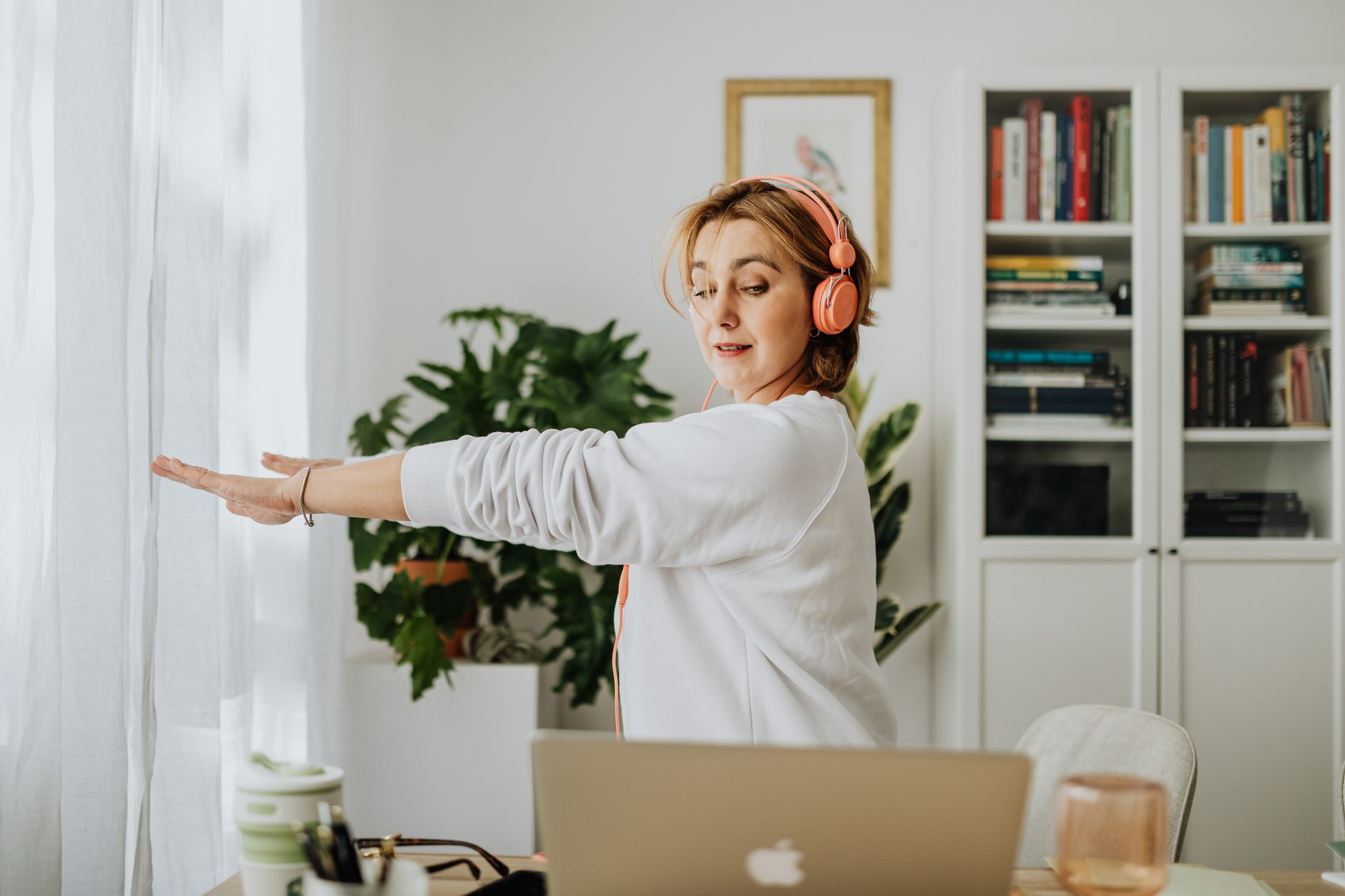
Man stretches in a park surrounded by greenery, captured in natural lighting.

Long hours at a desk often lead to tight shoulders. You might notice tension creeping into your neck and upper back by mid-afternoon. This stiffness happens when you hold one position for too long. Your muscles shorten and lose their natural flexibility. Simple movements can help you regain comfort during your workday. These stretches require no special equipment. You can perform them right at your workstation in just a few minutes.

The Shoulder Roll Technique

Shoulder rolls are the easiest way to release immediate tension. Sit upright with your feet flat on the floor. Keep your spine straight and your head level. Inhale deeply as you lift your shoulders toward your ears. Hold this position for two seconds. Exhale slowly while rolling your shoulders back and down. Imagine you are trying to squeeze your shoulder blades together. Repeat this motion ten times in a smooth, circular rhythm. This action helps reset your posture after hours of hunching over a keyboard. It encourages blood flow to the muscles surrounding your shoulder joints. Perform this set whenever you feel your shoulders creeping upward toward your ears.

The Overhead Reach

Reaching overhead helps lengthen the muscles that tighten during typing. Sit firmly in your chair with your core engaged. Interlace your fingers and turn your palms toward the ceiling. Push your hands upward as if you are trying to touch the sky. Keep your arms close to your ears if possible. Do not force the movement if you feel sharp pain. Hold the stretch for fifteen seconds while breathing steadily. You should feel a gentle pull along your sides and through your shoulders. Lower your arms slowly to your sides after the hold. Repeat this stretch three times. This movement counteracts the forward-leaning posture common in office environments. It opens the chest and creates space in the upper torso.

The Cross-Body Pull

The cross-body stretch targets the back of the shoulder. Extend your right arm straight out in front of you. Keep your arm at shoulder height. Use your left hand to gently pull your right arm across your chest. Keep your right elbow slightly bent to avoid strain. You will feel a stretch in the back of your right shoulder. Hold this position for twenty seconds. Focus on keeping your shoulders down and away from your ears. Switch sides and repeat the movement with your left arm. Perform this sequence twice on each side. This stretch is effective for loosening the muscles that stabilize your shoulder blades. It provides relief after repetitive tasks like mouse work or data entry.

Maintaining Better Desk Habits

Stretching provides temporary relief, but daily habits matter more. Check your monitor height to ensure your eyes meet the top third of the screen. This prevents you from tilting your head forward. Keep your keyboard close enough so your elbows stay at a ninety-degree angle. Avoid resting your weight on your elbows for long periods. Take a short break every hour to stand up and move around. Even a thirty-second walk to the water cooler helps your muscles reset. Drink plenty of water throughout the day to keep your tissues hydrated. Consistent movement prevents stiffness from becoming a chronic issue. Listen to your body and adjust your position if you feel discomfort. Small, frequent changes to your routine lead to better long-term comfort. Incorporate these stretches into your schedule to keep your shoulders loose and relaxed. Your body will appreciate the regular attention during a busy workday.

Related reading

AI disclosure: this article was automatically drafted with AI assistance and reviewed before publishing. Written with AI assistance: gemini-3.1-flash-lite. It is general information, not professional medical, financial or legal advice.